Boost Your Business with GoHighLevel and Google Business Profile
In today’s digital landscape, having a strong online presence is crucial for any business. That’s where GoHighLevel and My Google Business Profile come into play. These powerful tools can revolutionize how you manage your online reputation and connect with potential customers. But how exactly do GoHighLevel and My Google Business Profile work together to boost your business?
As someone who’s been in the trenches of digital marketing for years, I’ve seen firsthand the impact of leveraging these platforms effectively. Let’s dive into the world of GoHighLevel and My Google Business Profile and explore how they can take your business to new heights.
Table of Contents:
- Understanding GoHighLevel and Google Business Profile
- Setting Up GoHighLevel with Your Google Business Profile
- Maximizing Your Online Presence with GoHighLevel and Google Business Profile
- Advanced Strategies for GoHighLevel and Google Business Profile
- FAQs about GoHighLevel ang My Google Business Profile
- Conclusion
Understanding GoHighLevel and Google Business Profile
Before we get into the details, let’s break down what these tools are and why they matter. GoHighLevel is an all-in-one marketing platform designed to streamline your business operations. Google Business Profile (formerly known as Google My Business) is a free tool that helps you manage your online presence across Google, including Search and Maps.
When combined, GoHighLevel and Google Business Profile create a powerhouse for your digital marketing efforts. They work in tandem to enhance your visibility, improve customer engagement, and ultimately drive more sales. These tools can help you effortlessly promote your business and boost engagement with your target audience.
The Power of Google Business Profile
Google Business Profile is more than just a listing – it’s your business’s digital storefront. It’s often the first thing potential customers see when they search for your business or services like yours in their area.
A strong online presence is key to attracting new customers. Did you know that 95% of customers read online reviews before making a purchase? That means your Google Business Profile can make or break a potential sale before a customer even reaches your website. This makes having an updated and informative Google Business Profile essential for any business looking to succeed.
Furthermore, 84% of people trust online reviews as much as personal recommendations from friends or family. So, maintaining a stellar Google Business Profile isn’t just good practice – it’s essential for your business’s success. Having a Gmail account linked to your Google Business Profile makes it easy to keep track of your online presence and interact with customers.
How GoHighLevel Elevates Your Google Business Profile
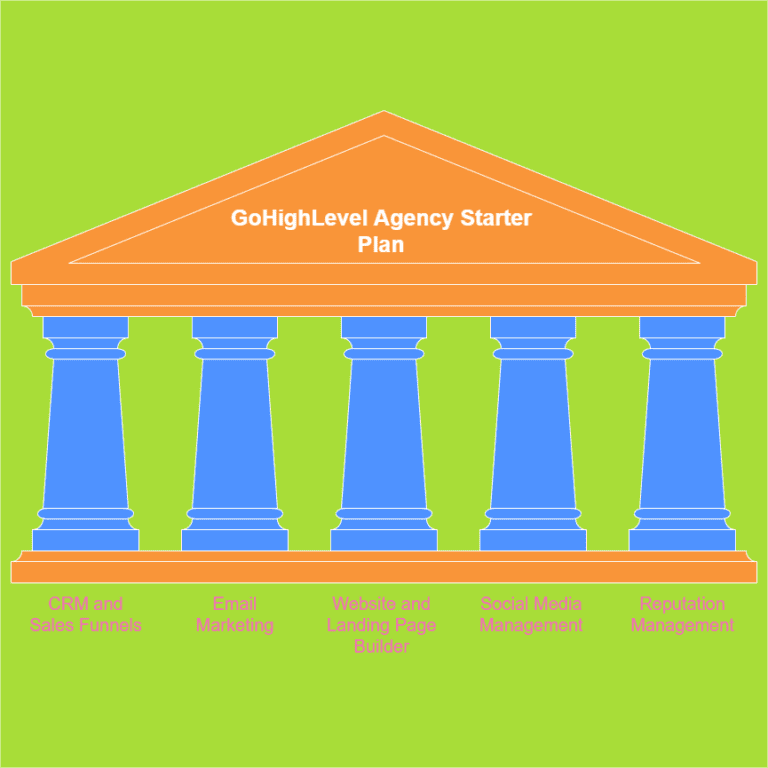
This is where GoHighLevel comes in, acting as a tool to supercharge your Google Business Profile. GoHighLevel offers a suite of tools that integrate seamlessly with your Google Business Profile, allowing you to manage and optimize your online presence more effectively.
You can use the platform to manage multiple GMB locations, schedule Instagram posts, and improve your overall digital marketing strategy. With GoHighLevel, you can:
- Automatically respond to reviews.
- Schedule and post updates.
- Track and analyze your performance.
- Manage multiple locations from one dashboard.
These features not only save you time but also ensure you’re making the most of your Google Business Profile. The results speak for themselves. Businesses with positive reviews see a 31% increase in sales, according to BrightLocal. That’s a significant boost just from managing your online reputation effectively.
Setting Up GoHighLevel with Your Google Business Profile
Now that we understand the power of GoHighLevel and My Google Business Profile, let’s walk through how to set them up together. With a few clicks, you can connect your Google account to GoHighLevel and start taking advantage of its many features.
Step-by-Step Guide to Integration
- First, log in to your GoHighLevel account. If you don’t have one yet, now’s the time to sign up.
- Navigate to the Settings section in your GoHighLevel dashboard.
- Look for the Integrations tab and find the Google Business Profile option.
- Click on “Connect” and follow the prompts to link your Google account.
- Once connected, select the Google Business Profile you want to manage through GoHighLevel.
- Voila. You’re now ready to start managing your Google Business Profile through GoHighLevel.
Remember, you’ll need to have admin access to your Google Business Profile for this integration to work. If you haven’t set up your Google Business Profile yet, head over to Google Business and click on “Manage Now” to get started. Once you have a GMB account set up, you can connect it to other tools like your Google Calendar.
Maximizing Your Online Presence with GoHighLevel and Google Business Profile
Now that you’ve got GoHighLevel and My Google Business Profile working together, it’s time to make the most of this powerful combination. Here are some strategies I’ve found incredibly effective:
Respond to Reviews Promptly
Remember that stat about 88% of consumers being more likely to use a business that responds to reviews? Well, GoHighLevel makes this easy. You can even set up a streamlined post-approval process to ensure your responses meet your standards. Set up automated responses for positive reviews to show appreciation.
Create templates for addressing negative feedback professionally and promptly. Quickly responding to reviews, whether positive or negative, shows your customers you’re listening and value their feedback. This can go a long way in building trust and loyalty.
Post Regular Updates
Use GoHighLevel’s social planner to schedule regular posts on your Google Business Profile. Share updates about your business, promotions, or helpful tips related to your industry. GoHighLevel even lets you seamlessly design and schedule captivating Instagram Stories, a game-changer for any business wanting to make the most of this popular platform.
Regular posting keeps your profile fresh and engaging, which can improve your visibility in local search results. It also gives potential customers a reason to keep coming back to your profile for more information. This keeps your content fresh and engaging, which is important for keeping users interested.
Leverage Insights for Improvement
GoHighLevel provides detailed analytics about your Google Business Profile performance. Use these insights to understand what’s working and what isn’t. Consider factors such as are certain types of posts getting more engagement or are customers searching for specific services.
GoHighLevel is an innovative tool that empowers users to take control of their online presence. It helps you identify your business niche and target your audience more effectively. Use this data to refine your strategy and improve your online visibility.
Manage Multiple Locations Efficiently
If you have multiple business locations, GoHighLevel is a game-changer. You can manage all your Google Business Profiles from a single dashboard, ensuring consistency across all your locations while saving time and effort.
This is especially useful for businesses with multiple GMB locations, as it allows them to manage all of their profiles from a single dashboard. Having all of your information in one place makes it easy to see what’s working and what’s not, and to make changes as needed.
| Feature | Benefit |
|---|---|
| Automated Review Responses | Saves time, improves customer satisfaction |
| Scheduled Posting | Maintains consistent online presence |
| Performance Analytics | Informs strategy, improves ROI |
| Multi-Location Management | Ensures consistency, saves time |
Advanced Strategies for GoHighLevel and Google Business Profile
Once you’ve mastered the basics, it’s time to dive into some advanced strategies that can really set your business apart. These are techniques I’ve seen yield impressive results for businesses across various industries. These strategies will help you stay ahead of the curve and achieve maximum impact with your online marketing efforts.
Utilize the Q&A Feature
Google Business Profile has a Q&A feature that many businesses overlook. With GoHighLevel, you can monitor and respond to these questions promptly. Even better, you can proactively add commonly asked questions and answers.
This not only provides valuable information to potential customers but also improves your SEO by including relevant keywords. The Q&A feature on your Google Business Profile is a goldmine for attracting new customers.
Leverage Google Posts
Google Posts are a fantastic way to share timely updates directly on your Google Business Profile. Use GoHighLevel to create and schedule these posts strategically. GoHighLevel can also be integrated with your existing workflow, allowing you to seamlessly incorporate it into your current processes.
Whether it’s a special offer, an event announcement, or a new product launch, Google Posts can help you catch the eye of potential customers right when they’re searching for businesses like yours. Google Posts are like having a billboard on your Google Business Profile, allowing you to showcase your latest offerings.
Optimize for Local SEO
GoHighLevel can help you keep your business information consistent across the web, which is crucial for local SEO. Use it to manage your NAP (Name, Address, Phone number) information across various platforms. Make sure your business location is claimed and your business information is accurate.
Consistency in this information can significantly boost your local search rankings. Local SEO is all about making sure your business shows up when people search for products or services like yours in your area.
Integrate with Other Marketing Efforts
One of the beauties of GoHighLevel is its ability to integrate with other marketing tools. Use this to your advantage by connecting your Google Business Profile efforts with your email marketing, social media, and even paid advertising campaigns. GoHighLevel also includes a powerful post API that makes it easy to manage your social media content across multiple platforms.
This integrated approach can create a more cohesive and effective marketing strategy. By integrating your Google Business Profile with other platforms, you can create a seamless experience for your customers, no matter where they interact with your business.
FAQs about GoHighLevel ang My Google Business Profile
How do I link Google My Business to GoHighLevel?
To link your Google My Business to GoHighLevel, log into your GoHighLevel account, navigate to Settings > Integrations, find the Google My Business option, and follow the prompts to connect your account. Make sure you have admin access to your Google My Business profile for a successful integration.
How do you go to your Google Business Profile?
To access your Google Business Profile, go to google.com/business and click on “Sign in” in the top right corner. Once logged in, you’ll be taken to your Google Business Profile dashboard where you can manage your business information, posts, and reviews.
How do I restore my Google business profile?
If your Google business profile has been removed or suspended, you can try to restore it by visiting business.google.com/create and following the prompts to verify your business information. If you’re still having issues, you may need to contact Google Support for further assistance.
How do I grant access to my Google business profile?
To grant access to your Google business profile, sign in to Google My Business, select the location you’d like to manage, click on “Users” in the menu, then click the “Invite new users” button. Enter the email address of the person you want to add and select their role (Owner, Manager, or Communications Manager). Finally, click “Invite” to send the invitation.
Conclusion
GoHighLevel and My Google Business Profile are a dynamic duo that can transform your online presence. By leveraging these tools effectively, you can boost your visibility, engage with customers more meaningfully, and ultimately drive more business. Remember, in today’s digital world, your online reputation is often the first impression potential customers have of your business. Make it count.
As we’ve explored, the integration of GoHighLevel and My Google Business Profile offers a wealth of opportunities to streamline your marketing efforts and maximize your online impact. From managing reviews and posting updates to leveraging insights and optimizing for local SEO, the possibilities are vast.
So, are you ready to take your digital marketing to the next level with GoHighLevel and My Google Business Profile? The tools are at your fingertips – it’s time to put them to work.